
Guided setup
Pick a starting preset, then walk through your organization, the patch cycle, deferrals, deadlines, Focus and presentations, the apps to patch, background patching, Installomator, notifications and what users can see.
App Auto-Patch Configuration Helper is a Mac app for admins that builds the configuration profile for App Auto-Patch. Answer one question per step, or go straight to every setting App Auto-Patch reads; both edit the same project, so you can switch at any time. It ends with a plain-English summary of what your users will see, the profiles to deploy, and an optional upload to Jamf Pro.
Guided setup
Pick a starting preset, then walk through your organization, the patch cycle, deferrals, deadlines, Focus and presentations, the apps to patch, background patching, Installomator, notifications and what users can see.
Every setting, documented
All settings lists every key in App Auto-Patch’s manifest, grouped like its Settings window, with its default, its documentation, and the first App Auto-Patch build that reads it.
Ready to deploy
Export a settings profile (.mobileconfig), a preferences plist for Jamf Pro, or a deployment kit with the three
companion profiles from the quick start, made for your organization.
Upload to Jamf Pro
Create or update the configuration profiles in Jamf Pro through its API. They’re uploaded unscoped, so you choose where they go.
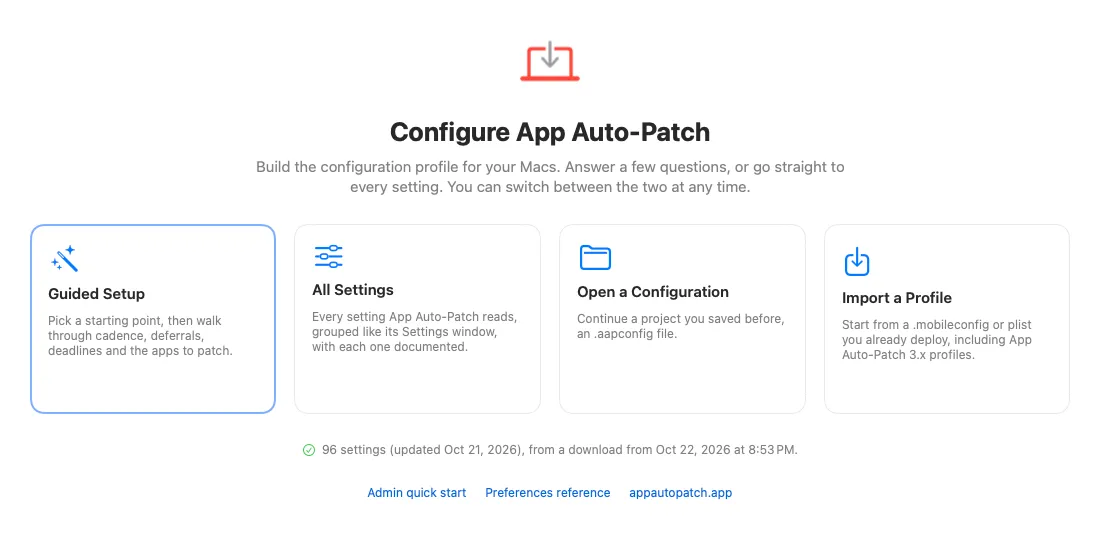
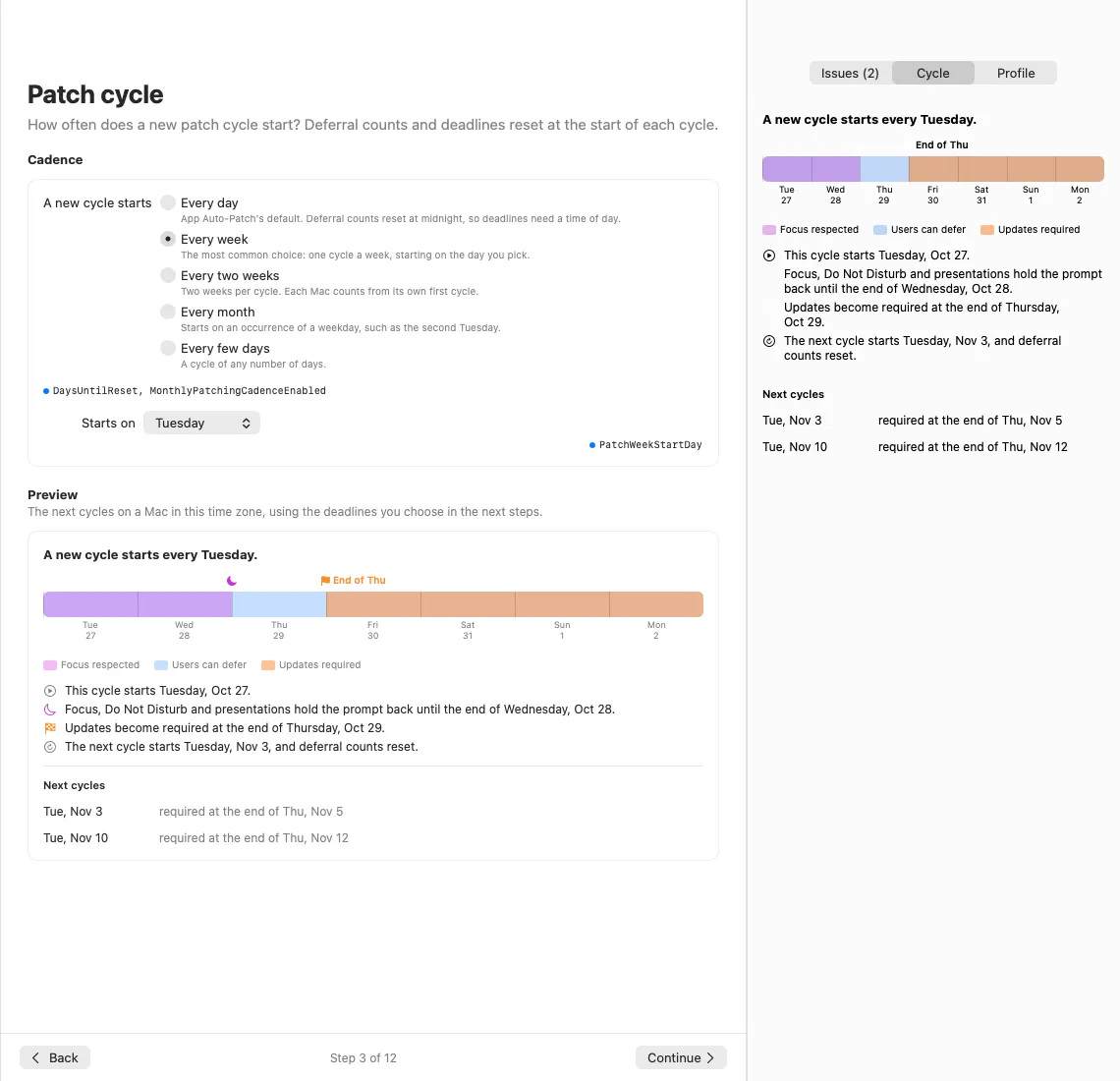
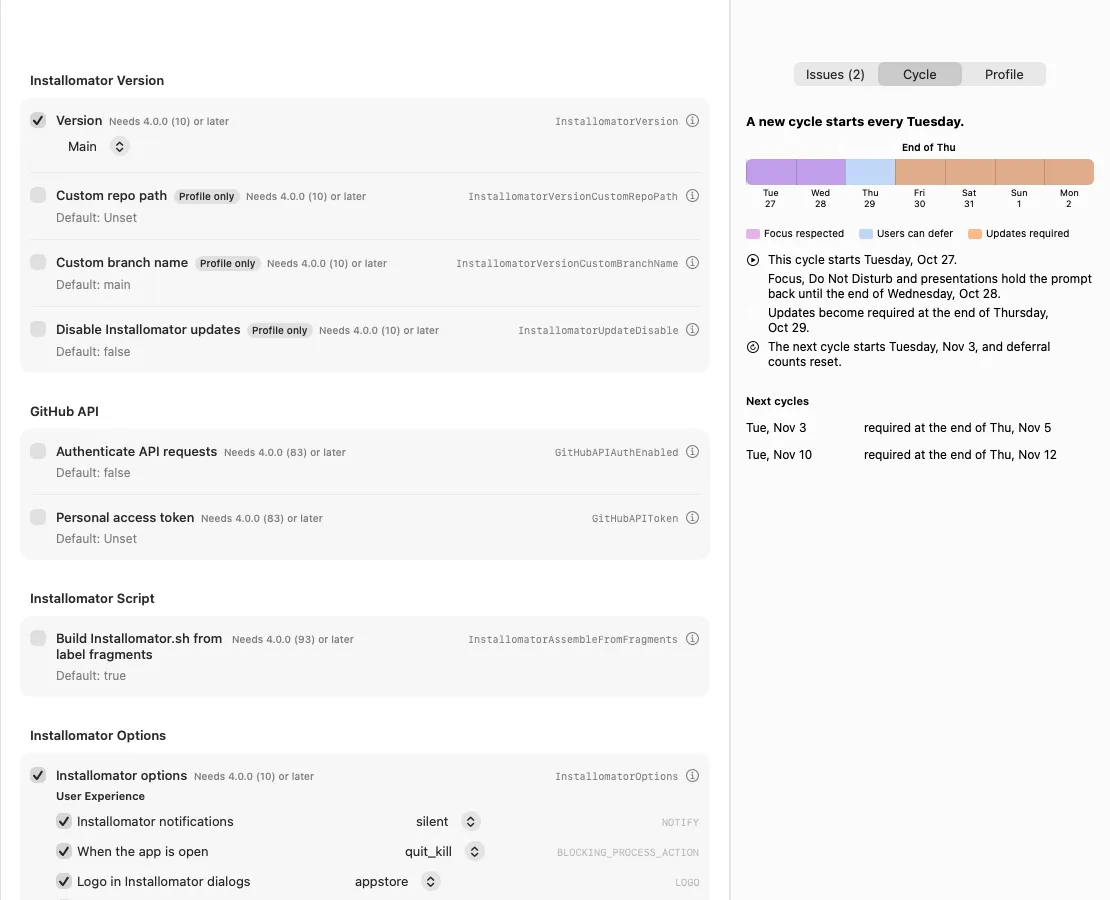
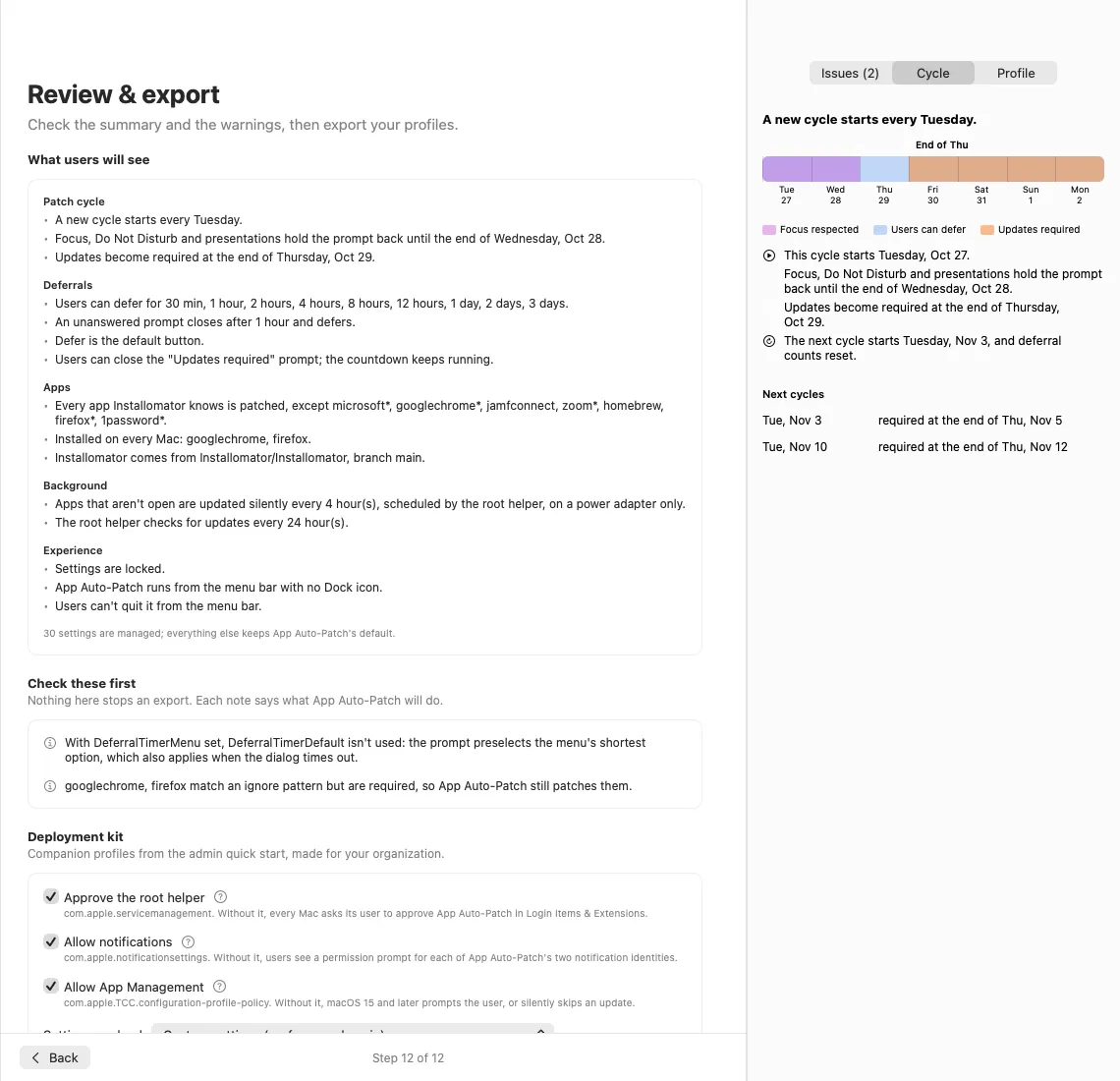
Install the helper from the download above and open it from /Applications.
Choose Guided Setup to answer one question per step, or All Settings to edit keys directly. To start from a profile you already deploy, including an App Auto-Patch 3.x profile, choose Import a Profile.
Review the summary and the warnings, then export the settings profile or the whole deployment kit. Save the
project (.aapconfig) to change it later; every export of a project keeps the same profile identifiers, so your
MDM replaces the profile it already deployed.
Deploy the profiles in the order the quick start gives, or upload them to Jamf Pro from the helper.
The helper doesn’t have its own list of settings. At launch it downloads App Auto-Patch’s settings manifest and example profiles from this site, so a setting added to App Auto-Patch appears in the helper as soon as it is published, with no helper update. Each setting shows the first App Auto-Patch build that reads it, such as Needs 4.0.0 (109) or later: Macs on an earlier build ignore that setting. Copies built into the app keep it working offline, and downloads can be turned off in its Settings.
The helper connects to this site for App Auto-Patch’s published files, to GitHub for Installomator’s labels, and to your Jamf Pro server when you upload. It sends no usage data of its own. A Jamf Pro password or client secret you save is kept in your login keychain, never in a project file.
See the Preferences reference for every setting, and Configuration profiles for the manifests if you build profiles in iMazing Profile Editor, ProfileCreator or Jamf Pro instead.